
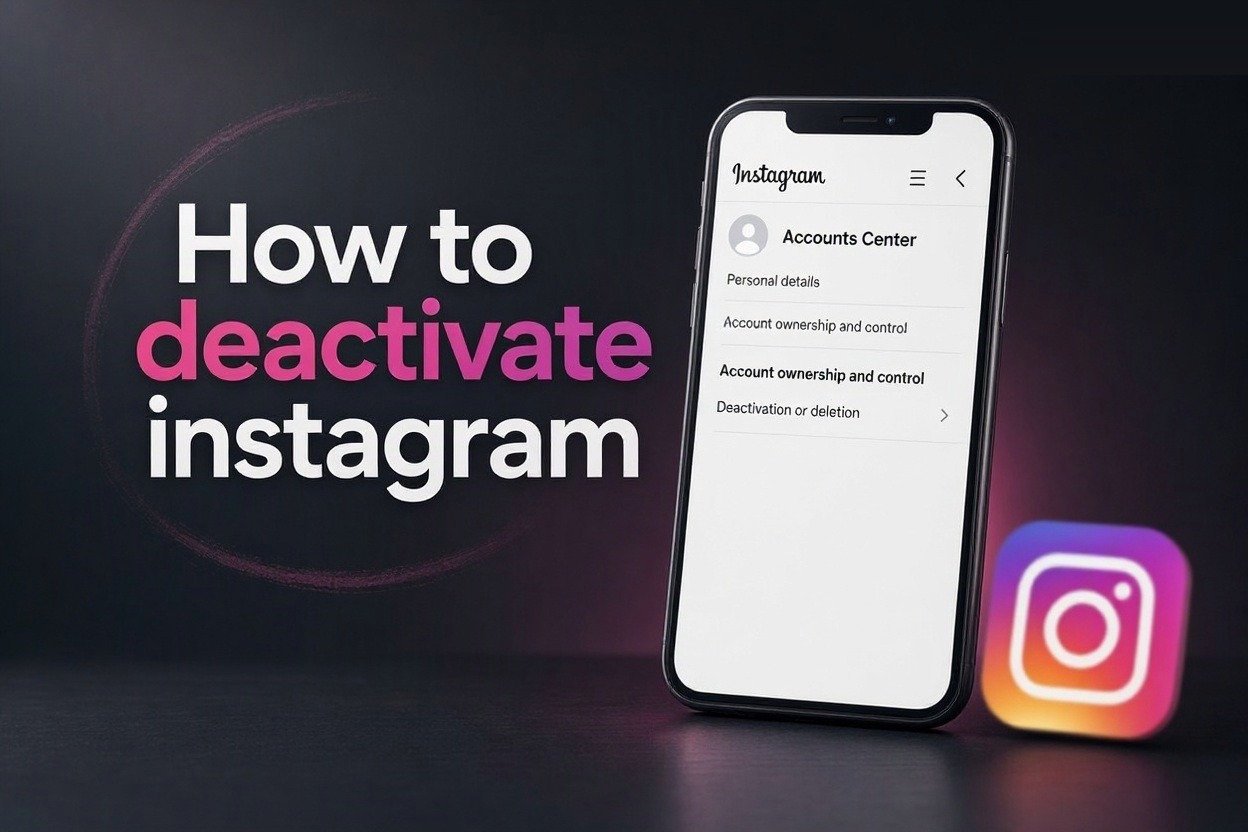
Learning how to deactivate instagram can give you a much needed break without losing your photos, followers, or messages permanently. Many people feel overwhelmed by endless scrolling, comparison, notifications, and pressure to post, and temporarily disabling the account feels like the healthiest option. Deactivation hides your profile, posts, likes, and comments until you log back in, which is very different from permanent deletion. In this guide, you will learn what deactivation means, what to do before you take a break, exact steps for phone and computer, what happens afterward, how to reactivate, mistakes to avoid, and answers to common questions.
Whether you want a short digital detox, more focus for work or studies, better privacy, or time to decide if Instagram still fits your life, this article walks you through everything in simple language. You will get practical checklists, expert tips, real life examples, and safe best practices to protect your account while you are away.
Why Temporarily Deactivate Instagram Account
Taking a break from Instagram can improve focus, mood, and privacy while keeping your account safe for the future. Here are the most common reasons people choose temporary deactivation.
1. Take A Break For Mental Health
Constant comparison, negative comments, and pressure to look perfect can increase stress, anxiety, and low self esteem for many users. Learning how to deactivate instagram lets you pause all that noise without deleting memories. You get space to rest, rebuild confidence, and return with healthier boundaries around social media use and screen time.
2. Reduce Screen Time And Distraction
Endless reels, stories, and explore pages can easily steal hours every day and hurt sleep, work, and study habits. Temporarily deactivating your account removes the temptation to check updates constantly. Many people report better concentration, more free time for hobbies, and improved productivity after stepping away from daily scrolling for just a few weeks.
3. Protect Privacy During Sensitive Times
During a job search, breakup, travel, family issue, or online harassment, you may want to disappear quietly without alerting everyone. Deactivation hides your profile, photos, and stories from public view and search. It gives you privacy and control while you handle personal matters, without the finality of permanently deleting your entire digital presence.
4. Avoid Deleting Memories Permanently
If you are frustrated but not fully sure you want to leave Instagram forever, deactivation is a safe middle option. Your posts, reels, saved items, followers, following list, and direct messages are preserved. You can think clearly for weeks or months and then reactivate with everything intact instead of regretting a hasty permanent deletion.
5. Manage Multiple Accounts And Business Pauses
Creators, small businesses, and social media managers often pause a secondary, seasonal, or rebranding account temporarily. Instead of confusing followers with inconsistent posting, deactivation hides the account cleanly. You can focus on your main profile, update your strategy, refresh content, and return later with a clearer message and stronger presentation.
6. Test Life Without Social Pressure
Many users are curious how they would feel without likes, views, and follower counts driving daily decisions. A temporary break works like an experiment to reset habits and priorities. You can notice improvements in mood, relationships, and self image, then decide whether to return with limits, stay away longer, or switch to permanent deletion.
Deactivate Instagram Temporarily Or Delete Permanently
Choosing between deactivation and deletion is important because one is reversible and the other is not. This comparison will help you pick the right option.
1. Visibility After Action
When you deactivate, your profile, posts, comments, and likes become invisible to others but remain stored privately by Instagram. When you delete permanently, your entire profile and content are queued for complete removal after a grace period. Deactivation is like pausing, while deletion is like throwing everything away with no easy recovery.
2. Data Preservation And Recovery
Deactivation preserves your username, followers, media, messages, and settings so you can restore everything by simply logging back in. Permanent deletion removes photos, videos, chats, and username availability after the waiting period ends. If there is any chance you will want your memories later, temporary deactivation is the much safer and more flexible choice.
3. Duration And Frequency Limits
You can deactivate and reactivate as needed, though Instagram may restrict very frequent toggling to prevent abuse. You typically need to wait a short time after reactivation before deactivating again. Permanent deletion, in contrast, gives you about thirty days to cancel, after which recovery is impossible and the username may become available to others.
4. Impact On Followers And Messages
With deactivation, followers will not see your account in search and your messages may appear as unavailable, but nothing is lost. With deletion, your comments disappear, tagged posts lose links, and group conversations lose your history over time. If you manage a community or business, deactivation avoids confusing customers while deletion creates broken links and lost trust.
5. Best Choice For Short Breaks
Deactivation is ideal for exams, burnout, vacations, mental health resets, pregnancy, or busy work seasons lasting days to months. You stay in control and can return instantly. Deletion is better only when you are certain you no longer want the account, are concerned about long term data footprint, or want to start completely fresh with a new identity.
6. Best Choice For Long Term Exit
If you have not used Instagram for a year, dislike the platform values, worry about data collection, or have moved to other networks, permanent deletion may make sense. Before deleting, download your data archive and inform important contacts. Many experts suggest trying deactivation for sixty to ninety days first to confirm you truly do not miss the account.
Things To Do Before You Deactivate Instagram
A little preparation prevents lost access, business disruption, and confusion for followers. Complete these checks before you start the deactivation process.
- Confirm Login Details: Verify your email, phone number, password, and two factor authentication so you can log back in easily later.
- Download Your Data: Request a copy of photos, videos, messages, and profile information for backup before hiding your account.
- Inform Important Contacts: Tell close friends, clients, or followers how to reach you by email or another app during your break.
- Remove Third Party Access: Review connected apps, business tools, and scheduled posting services to avoid login errors later.
- Save Drafts And Notes: Copy captions, hashtag sets, and draft ideas because drafts on your phone may not sync after long inactivity.
- Check Linked Facebook Center: If accounts are linked through Accounts Center, understand how deactivation affects login and recovery options.
How To Deactivate Instagram On Phone
Instagram now manages deactivation through Accounts Center in the mobile app. Follow these steps carefully on iPhone or Android.
- Open Profile Settings: Launch Instagram, tap your profile picture at the bottom right, then tap the three lines at the top right to open settings.
- Go To Accounts Center: Tap Settings and privacy, then tap Accounts Center at the top to manage profiles linked to your login.
- Select Personal Details: Inside Accounts Center, choose Personal details, then tap Account ownership and control to see deactivation options.
- Choose Deactivation: Tap Deactivation or deletion, select the Instagram profile you want to pause, then choose Deactivate account and continue.
- Enter Password Securely: Type your Instagram password to confirm identity, making sure you are on the official app and a secure connection.
- Pick A Reason: Select a reason like need a break, too busy, privacy concerns, or trouble getting started to proceed to the next screen.
- Confirm Temporary Deactivation: Review the information about hidden profile and preserved data, then tap Deactivate account to finish the process.
How To Deactivate Instagram On Computer
If you prefer a larger screen, you can complete the same process from a desktop browser with fewer taps. Here is how each part works.
1. Log In Through Secure Browser
Open your preferred browser on your computer and log into the correct Instagram account with your username and password. Double check that you are using the right profile if you manage multiple accounts. Avoid public computers and make sure two factor codes go to your current phone number before continuing with any sensitive account changes.
2. Open Accounts Center Settings
Click your profile picture, go to Settings, and look for Accounts Center or Personal details depending on your interface version. Instagram updates menus frequently, so use the search bar inside settings if needed. This central hub controls deactivation for Instagram and Facebook profiles linked under the same login credentials and ownership controls.
3. Select Account Ownership Controls
Inside Accounts Center, choose Personal details and then Account ownership and control to reveal deactivation and deletion choices. Select the correct Instagram username from the list of connected profiles. This step prevents accidentally affecting a business page, client account, or personal Facebook profile that shares the same login center.
4. Choose Deactivate Over Delete
Select Deactivation or deletion, then pick Deactivate account rather than Delete account. Read the summary that explains your profile will be hidden but not erased. Choosing deactivation preserves followers, posts, reels, messages, and settings. Take a moment to confirm you do not actually want permanent removal before moving forward.
5. Verify Identity With Password
Enter your current password when prompted to prove account ownership and prevent unauthorized changes. If you forgot your password, reset it first through email or SMS and enable two factor authentication. Never share this code with anyone, and avoid entering credentials on unfamiliar links or third party sites claiming to deactivate accounts faster.
6. Confirm And Log Out Everywhere
After confirmation, Instagram will log you out and hide your profile from search, feeds, and tags. For extra safety, use Password and security settings to log out of other devices and review login activity. Do not log back in immediately out of curiosity, because that will instantly reactivate the account you just paused.
What Happens After You Deactivate Instagram
Once your account is deactivated, your profile becomes invisible to everyone else almost immediately.
Your posts, reels, stories, highlights, likes, comments, and follower counts are hidden from search and feeds. People who visit your old profile link will see a page not available message.
Your direct messages remain in other peoples inboxes but your name may appear without a profile picture. Group chats stay intact, though your ability to send new messages is paused until reactivation.
Your username is reserved and cannot be claimed by someone else during temporary deactivation. Your followers and following lists, saved posts, and archives stay stored and will reappear exactly as before when you return.
You will stop receiving most Instagram emails, push alerts, and suggested notifications. If you log back in with the correct username and password, full access is usually restored within seconds without needing approval or waiting time.
Common How To Deactivate Instagram Mistakes To Avoid
Small errors can cause accidental deletion, lockouts, or instant reactivation. Avoid these frequent problems to keep your break stress free.
1. Choosing Delete Instead Of Deactivate
Many users rush through Accounts Center and select Delete account when they only wanted a temporary pause. The screens look similar and both ask for a reason. Always read the heading carefully and verify it says Deactivate account. If you accidentally request deletion, cancel within thirty days and secure your login immediately.
2. Forgetting Password And Recovery Access
People often deactivate and then lose access because their email is old, phone number changed, or two factor app was reset. Before deactivating, update contact details, save backup codes, and test login on another device. Without recovery access, you may be unable to reactivate and could lose the username you intended to preserve safely.
3. Logging Back In Too Quickly
Simply opening the app and logging in will instantly reactivate your account, even if you only wanted to check one message. This surprises many users who thought deactivation needed approval. After deactivating, remove the app from your home screen, log out of browsers, and ask a trusted friend to confirm your profile is hidden before assuming it worked.
4. Ignoring Linked Business Tools
Creators who use scheduling apps, shops, ads, or linked Facebook pages sometimes break integrations by deactivating without pausing campaigns. Active ads may keep spending, product tags may fail, and auto publishing can trigger reactivation attempts. Pause promotions, disconnect temporary tools, and notify team members who manage content to avoid errors and unexpected charges.
5. Not Downloading Photos And Chats
Although deactivation preserves data, phones get lost, passwords get forgotten, and policies can change. Failing to download an archive means risking years of memories. Request your information file, save important photos to cloud storage, and copy business contacts. This backup gives peace of mind whether your break lasts two weeks or two years.
6. Deactivating During Security Issues
If your account was hacked, shows unknown logins, or sends spam, do not just deactivate and hope it resolves. Secure the account first by changing passwords, checking email changes, enabling two factor authentication, and reviewing active sessions. Deactivating a compromised account without fixing access can make recovery harder and leave the hacker in control behind the scenes.
Best Practices For How To Deactivate Instagram
Follow these expert recommendations to make your Instagram break smooth, private, and easy to reverse when you are ready.
1. Set A Clear Break Goal
Decide in advance whether your break is for seven days, thirty days, exam season, or an open ended detox. A clear timeframe reduces the urge to peek daily and helps you measure benefits like better sleep or focus. Write your return date in a calendar and plan what healthy limits you will use if you decide to come back.
2. Strengthen Security Before Leaving
Update to a strong unique password, confirm your email and phone number, and turn on two factor authentication with an authenticator app. Review login activity and remove unknown devices. Strong security ensures no one can reactivate or misuse your hidden profile while you are away, especially if you will not be monitoring alerts regularly.
3. Clean Up Your Digital Footprint
Before deactivating, archive embarrassing posts, remove sensitive personal details from your bio, and limit story highlights that reveal location. Review tagged photos and untag where needed. Even though deactivation hides everything, good hygiene means that if you reactivate later, your profile will already look intentional, professional, and aligned with your current goals.
4. Create Alternative Communication Channels
Tell close friends, family, customers, and collaborators how to reach you without Instagram direct messages. Share an email address, phone number, or alternative app handle privately. Pin a temporary story before leaving if needed. Clear communication prevents missed opportunities, worried friends, and lost business inquiries during your absence from the platform.
5. Remove Triggers And Notifications
Turn off push notifications, mute Instagram emails, delete the app icon from your phone, and log out of mobile browsers. If friends send you reels links, ask them to pause that habit during your detox. Reducing triggers makes it far easier to stick to your break and avoids accidental logins that would immediately reactivate your hidden account.
6. Plan A Healthy Return Strategy
Think now about how you want Instagram to fit into your life later. Consider unfollowing draining accounts, setting daily time limits, turning off explore suggestions, and scheduling posting days. Many people return successfully by following fewer accounts, using close friends lists, and keeping the app off the home screen to maintain balance and control.
Practical How To Deactivate Instagram Use Cases
Different people deactivate for different reasons. These real world examples show how a temporary break can solve specific problems.
1. Student Focus During Exams
A college student struggling with late night scrolling deactivates for six weeks during finals to improve concentration and sleep. Without reels and stories, study sessions become longer and grades improve. After exams, the student reactivates, unfollows meme pages, sets a one hour daily limit, and keeps better habits for the next semester with less stress.
2. Professional Rebranding Pause
A freelancer shifting from fitness coaching to career consulting hides an old themed account while building a new portfolio. Deactivation prevents potential clients from seeing outdated content during the transition. After two months of updating photos, bio, and highlights, the account is reactivated with a fresh niche, consistent branding, and clearer service offers.
3. Mental Health And Comparison Detox
A new parent feeling pressure from perfect lifestyle posts steps away for ninety days to focus on family and self esteem. The break reduces anxiety, comparison, and nighttime scrolling. Journaling and offline hobbies replace screen time. Upon return, the user curates a smaller feed with supportive friends, educational pages, and muted triggers for healthier daily use.
4. Travel And Privacy Protection
A traveler posting real time location worries about home security during a long trip abroad. Temporarily deactivating the public profile hides travel clues from strangers. Family stays in touch through messaging apps instead. After returning home, the traveler reactivates and shares selected photos as a recap without having broadcast live movements to the entire internet.
5. Business Seasonal Closure
A small seasonal shop that only operates in summer deactivates its secondary Instagram during winter to avoid appearing inactive. Customers are directed to the main website or email for inquiries. When the new season starts, the shop reactivates, posts fresh inventory, runs promotions, and benefits from preserved followers instead of starting from zero with a new page.
6. Creator Burnout Recovery
A content creator exhausted by daily posting and algorithm pressure takes a one month break without deleting years of work. Deactivation stops comments and performance anxiety while preserving audience and monetization history. During rest, the creator plans batch content and sets boundaries. The comeback feels energizing with a rested mindset and more sustainable schedule.
Frequently Asked Questions
1. How Long Can I Keep My Instagram Deactivated
You can keep your Instagram account deactivated for as long as you want with no official maximum limit. Your profile stays hidden and your data remains stored until you choose to log back in. Just make sure you retain access to your email, phone, and password for smooth reactivation later.
2. Will People Know If I Deactivate My Instagram
Instagram does not send notifications when you deactivate your account. Friends will simply notice your profile no longer appears in search and your posts are gone. Direct message threads may still show, but your profile picture disappears. Most people will assume you took a break unless you tell them directly.
3. Can I Reactivate My Account At Any Time
Yes, you can reactivate by logging back in with your username and password on the app or website. Reactivation is usually instant and restores posts, followers, and messages. If you just deactivated, wait a few hours before trying again, and avoid repeated deactivation cycles in a single day.
4. Does Deactivating Delete My Photos And Followers
No, temporary deactivation does not delete photos, videos, followers, following, or messages. Everything is hidden privately and restored upon login. This is very different from permanent deletion, which erases content after thirty days. Always choose deactivate if you want to preserve memories and connections for future use.
5. Why Can I Not Deactivate My Instagram Account
Common reasons include forgotten password, hacked email, missing two factor code, or trying too soon after last reactivation. Business accounts with active ad campaigns or linked tools may also face restrictions. Check login details, update recovery information, pause ads, use Accounts Center, and try again from a trusted device and stable connection.
6. Can I Deactivate Instagram Without Losing My Username
Yes, temporary deactivation reserves your username so no one else can claim it while you are away. Your handle remains tied to your account behind the scenes. Only permanent deletion releases the username after the grace period. Keep recovery access secure to ensure you can return and continue using the same name.
Conclusion
Knowing how to deactivate instagram gives you a flexible way to step back without losing everything you built. By preparing your login, backing up data, following the correct steps on phone or computer, and avoiding common mistakes, you can take a calm and private break with confidence.
Whether you return in a few weeks with healthier habits or decide to stay away longer, temporary deactivation puts you in control. Take the time you need, protect your privacy, and come back only when Instagram truly adds value to your life.
Discussion